Control Center IOS 164.1.0
Publisher Description
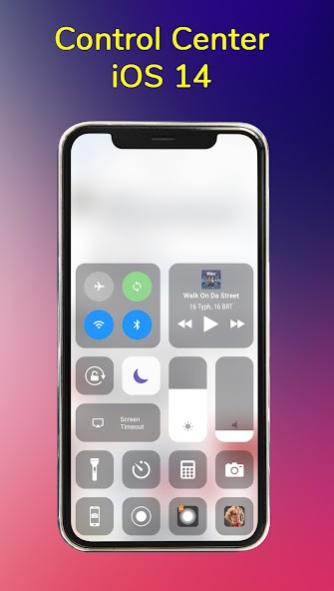
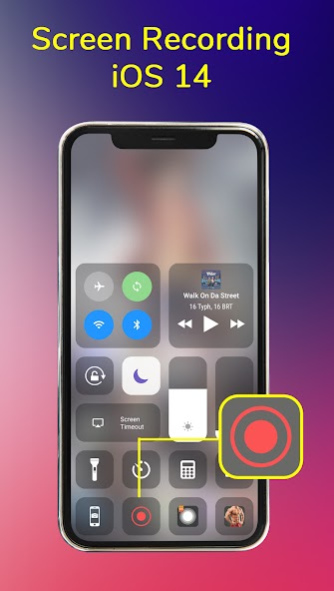
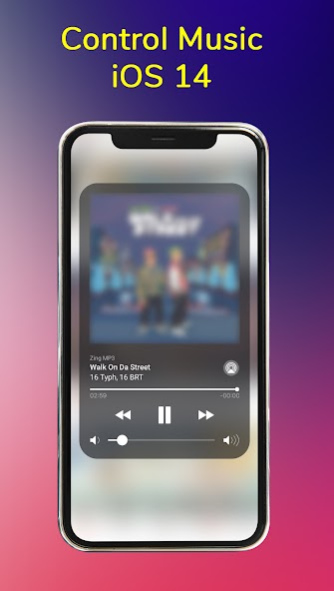
Control Center iOS 16 is an easy touch tool for iOS devices , you can access to the Camera, Clock, Screen Recording, Screenshot , Settings and all your favorite apps, games like to iOS X, iOS XS.
How to Open Control Center iOS 16
- Swipe up, swipe right or swipe left from the edge of screen.
How to Close Control Center iOS 16
- Swipe down, swipe right, swipe left or tap the top of the screen, or press the Back button.
Quickly change settings
- Airplane mode
- Wifi
- Bluetooth
- Screen rotation
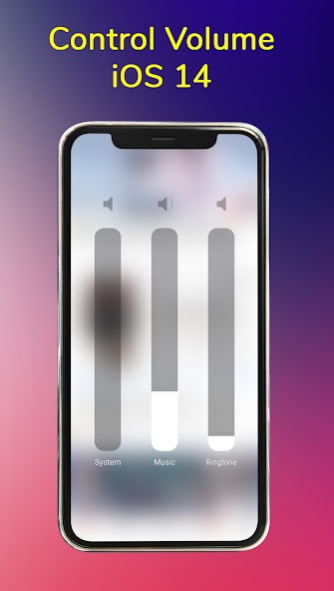
- Volume controller: change volume ringtone, music, alarm, notification, and system sounds.
- Brightness
- Screen timeout
- Flashlight
- Do not disturb
- Silent, vibration, and sound
- Lock the screen (screen off)
- Calculator
- Alarms and Timer
- Screen recorder be like iPhone (Android 5.0 and above)
- Screenshot, screen capture (Android 5.0 and above)
- Night mode (night light) and take care of your eyes
- Pin favorite application in Control Center
Customize
- You can change color of bar with your favorite color, totally free
- Change position of the bar (left, right, bottom)
- Change size of bar (width, height)
- Change opacity of bar
- Add or remove apps or controls on the Control Center
ACCESSIBILITY SERVICE
This app uses ACCESSIBILITY SERVICE
To use some action: capture screen , please allow Accessibility services. The service is only used to allow this app to to perform above features. Please grant this permission to use these actions: Go to Settings > Accessibility > Services and turn on Control Center.
About Control Center IOS 16
The company that develops Control Center IOS 16 is PEGroup. The latest version released by its developer is 4.1.0.
To install Control Center IOS 16 on your Android device, just click the green Continue To App button above to start the installation process. The app is listed on our website since 2023-06-02 and was downloaded 10 times. We have already checked if the download link is safe, however for your own protection we recommend that you scan the downloaded app with your antivirus. Your antivirus may detect the Control Center IOS 16 as malware as malware if the download link to com.intelligenttool.controlcenter is broken.
How to install Control Center IOS 16 on your Android device:
- Click on the Continue To App button on our website. This will redirect you to Google Play.
- Once the Control Center IOS 16 is shown in the Google Play listing of your Android device, you can start its download and installation. Tap on the Install button located below the search bar and to the right of the app icon.
- A pop-up window with the permissions required by Control Center IOS 16 will be shown. Click on Accept to continue the process.
- Control Center IOS 16 will be downloaded onto your device, displaying a progress. Once the download completes, the installation will start and you'll get a notification after the installation is finished.
Program Details
System requirements
Download information
Pricing
Version History
version 4.1.0
posted on 2023-06-02
- Improve performance
- Fixed critical issues
version 3.0.0
posted on 2021-11-16
- Fixed issue don't record screen
- Fixed critical issues
version 2.4.0
posted on 2021-08-30
_ Update brightness and volume layout
- Fixed critical issues
version 2.0.0
posted on 2021-04-20
- Fixed critical issues
